Tiny Eden Beginner Guide
The core loop, early priorities and the mistakes to skip in Tiny Eden.
Facts last checked: September 9, 2026 · launch facts re-checked September 9, 2026
Find an answer
Launch verification in progress — last re-checked September 9, 2026 (started September 8). Official store facts are labelled. Demo playthroughs, Steam reviews and one Whisper transcript are labelled separately and are not store FAQ.
The Core Loop
Officially, Tiny Eden runs on four connected activities (Steam store description, checked Aug 13, 2026):
- Grow. Plant flowers, berries and vegetables in your living room and nurture
them from seed to sprout to harvest — placement, light, soil mix and temperature all
matter, and every plant moves through distinct growth stages.
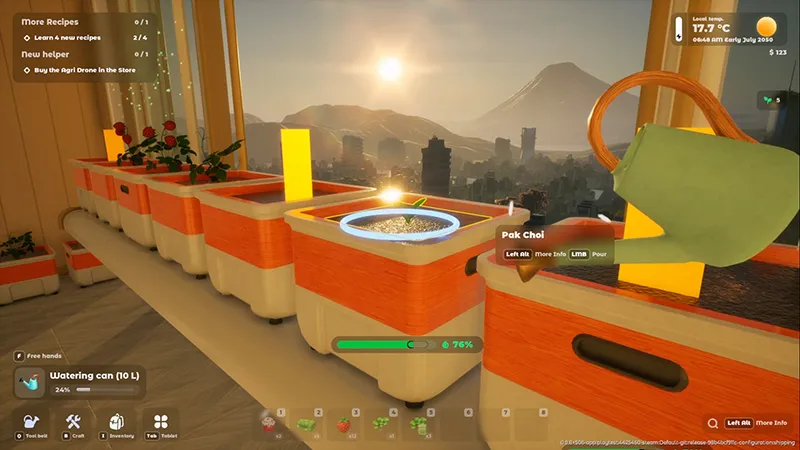
The player works at a row of indoor planters. - Craft & cook. Take your harvest into the kitchen and turn it into meals — recipes unlock as your reputation grows, and ingredients affect the final dish.
- Sell & expand. Sell dishes to the people of your apartment block and at the Atrium trading post, then reinvest: better gear, more growing space, automation.
- Design your space. Decorate and reshape the apartment — dozens of interior
items, from a cozy jungle hideaway to a clean growing station — and unlock the rooftop.
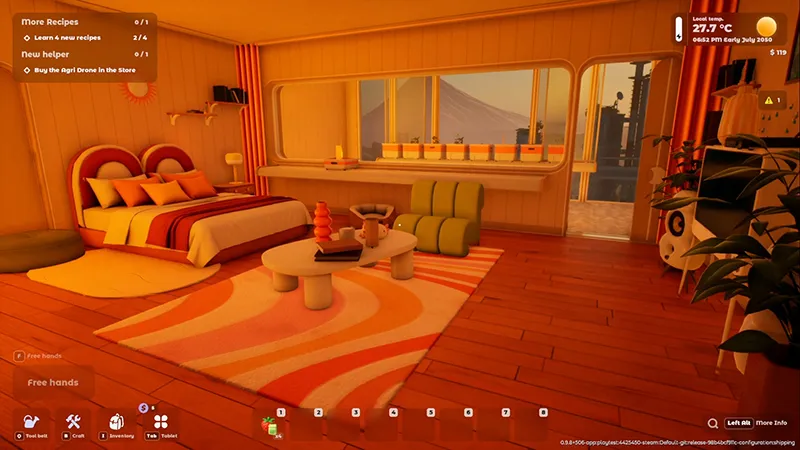
The apartment living area at sunset with the gameplay HUD visible.
There is no time pressure by design: the developers confirm there is no game-over and in-game time runs at a relaxed 60:1 ratio (official developer FAQ, May 2026).
What to Do First
Priorities below reflect the July 2026 demo build, cross-checked across three full demo playthroughs — the opening plays out the same way in each:
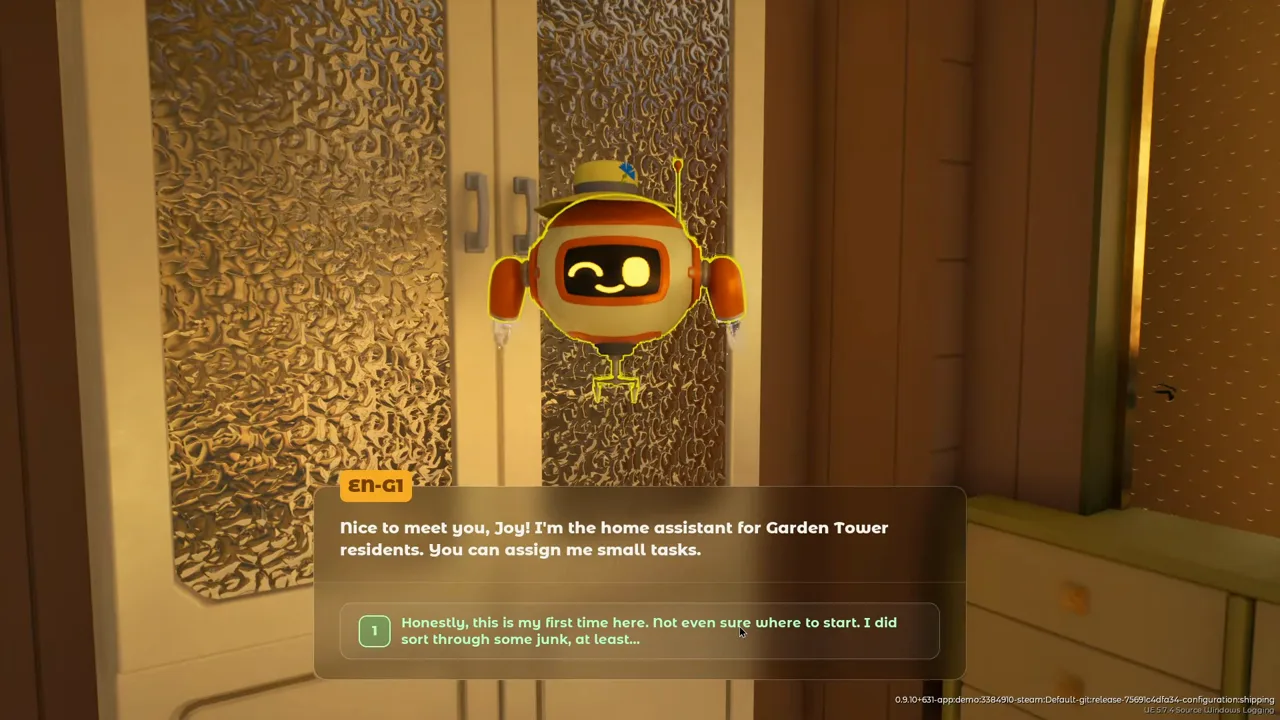
- Follow your robot assistant's task chain. It is the tutorial: cleaning the balcony, watering the strawberries, your first harvest and your first sale all come as its tasks, and it teaches the keys that run the game — Tab (tablet: shop, mail, orders; accept an order before you try to turn it in), Q (tool wheel), Alt (plant status and harvest markers) and I (skills). O is not the orders key — that mix-up showed up in a long demo playthrough (July 9, 2026 session, auto captions).
- Buy the shears and the garden fork the moment they are offered ($5 each).
You start with $100; both tools are mandatory anyway (harvesting and weeding), and
purchases arrive at the parcel terminal in the hallway — check it after every order.
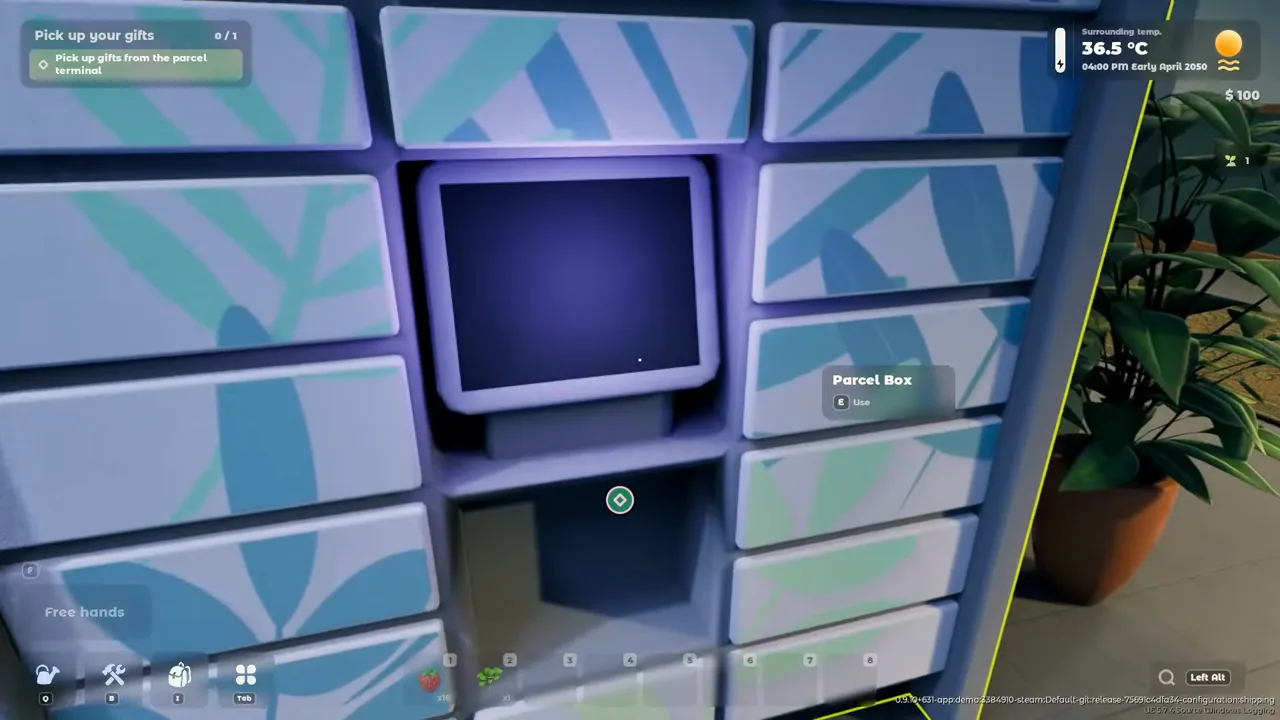
Demo playthrough, 00:28:55: tutorial gifts and purchased items are collected from the parcel terminal. - Learn the two green-zone minigames early. Sowing is a timing bar (release in
the green zone) and watering is a fill-to-target bar (each plant wants a different
moisture level — the demo's strawberries ask for 90%). Hitting the green zone precisely
grants a growth-speed bonus, which quietly compounds across every pot you own.
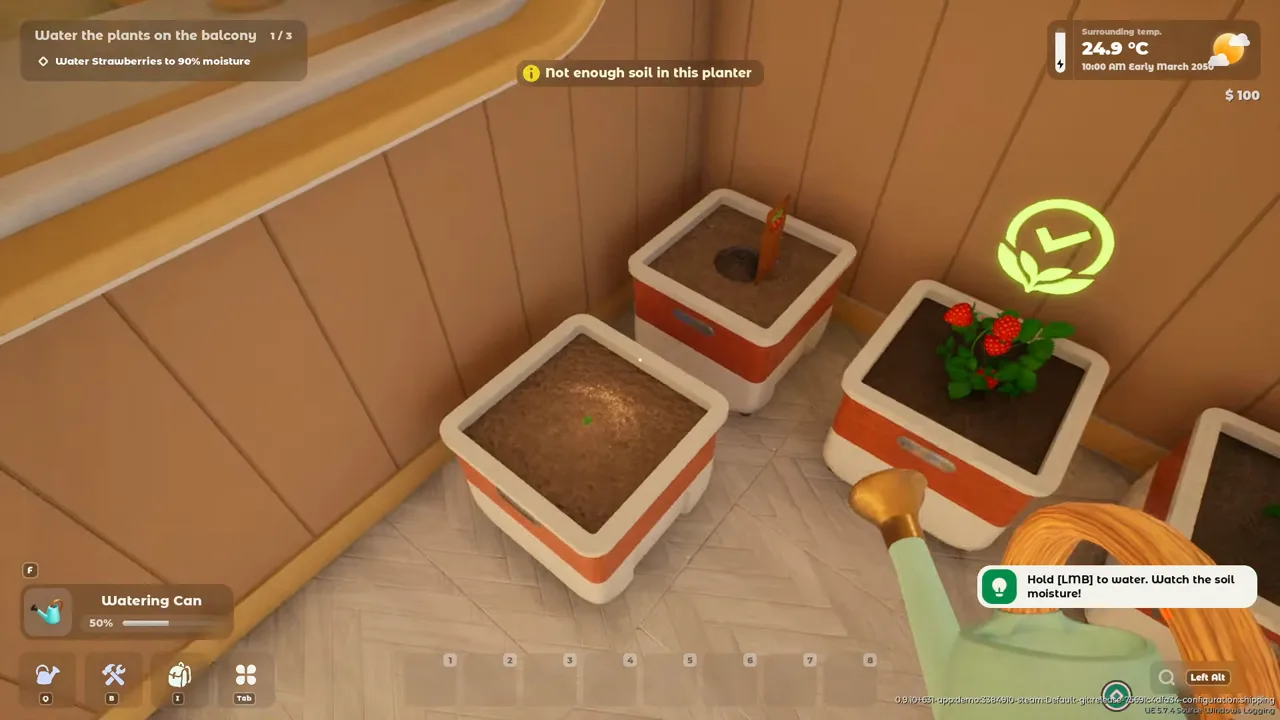
Demo playthrough, 00:11:30: the opening objective asks for strawberry moisture to reach 90%. - Cook before you sell. The robot says it outright: cooked dishes are far more profitable. In demo footage a Vitamin Salad order pays $20 while raw strawberries fetch about $1 apiece at the trading hub — turn harvest into dishes first.
- Sleep to end the day. The clock stops late in the evening and crops grow overnight — going to bed is how you fast-forward the garden.
Following the story instead? Use the opening walkthrough.
Early Habits That Pay Off
Habits that demonstrably saved runs in demo footage (July–August 2026):
- Check Alt every morning. Warnings pile up overnight — weeds, thirsty pots, too cold, too hot, not enough light. One playthrough woke up to 53 warnings during a cold snap; a morning Alt sweep catches problems while they are cheap to fix.
- Keep compost and sand stocked. Every new planter needs a soil mix before
seeds go in (the demo's pak choi asks 6 compost + 4 sand, peas 5 + 5) — running out
mid-build stalls the whole planting loop.
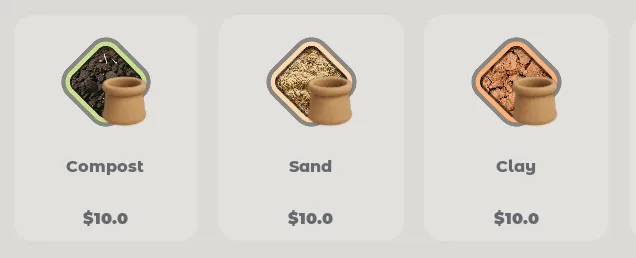
Compost, sand and clay in the materials shop. - Keep an emergency fund of about $35–50. Demo playthroughs treat heaters as climate insurance, not one official SKU: earlier July 2026 footage paid $35 for a cold-snap heater; a later 7-hour session quoted a space heater at $25 (auto captions — may be a different item; Update #2 also adjusted soil and kitchen upgrade prices, so treat those dollar figures as pre-patch). A player who had spent everything nearly lost the run when plants froze overnight.
- Batch your cooking. The stove cooks several dishes at once, and slow recipes (jams) can run while you garden — queue meals before heading to the balcony.
- Use the fridge. Inventory space is tight; harvest goes into the refrigerator. Update #2 (Sep 9, 2026) removed the option to decline quest orders — do not plan on rejecting overflow. Accept what you can cook, and let the rest wait.
Launch-Day Pitfalls (Player Reports)
These are launch-week Steam reviews and discussions (snapshots Sep 8–9, 2026) plus labelled demo playthroughs — not store FAQ. They are common enough to warn about, not guaranteed on every PC. Official Update #2 (Sep 9, 2026) already closed some of the launch-day reports.
- Start a new save. Official launch news: demo saves crash if continued. Update #1 also hides pre-0.10.0 saves from the load menu.
- Keys that were easy to miss: Tab tablet (shop, mail, accept orders), I inventory / skills / guide, Q tool wheel, B building materials (not the backpack), C crouch. O is still not orders.
- “Not enough soil” while watering usually means no seeds in that pot — a Japanese demo review and the launch-day stream both hit this (leads / Whisper).
- Dead plants: while moving the pot, tap E — do not hold. Dead leaves need the knife, not the shears. Weeding and pruning have to hit the problem spot, not the pot (Steam reviews).
- Recipes are bought at the bottom of the shop. They do not auto-unlock when you level (demo reviews; still reported at launch).
- Light: put pots on the balcony table or a windowsill. Indoor rooms can be too dark even after you buy room 2. In winter, bringing plants inside stops the cold but also cuts sun. Launch reviews still say onions and parsley can complain about light on the balcony (player reports).
- Your own Atrium shop (one register + two shelves in reports) may sell nothing for days, and stocked items may not come back off the shelf. Update #1 fixed the café selling bugs — that is not the player stall. DIY club orders still pay money plus reputation; the same price in your shop pays money only, but you can mark up (demo captions + launch reviews, still reported Sep 9).
- Kitchen “more portions from the same ingredients” must be switched on every cook — it does not stay default (English launch review).
- Quest orders cannot be declined after Update #2. Accept what you can cook; do not plan on rejecting overflow.
- Decorations: rugs and lights may be movable but not stored, sold, or sent back to the parcel box (Simplified-Chinese reviews, Sep 9).
- Balcony heaters / fans / lights may spawn lying flat and then do nothing until rotated upright (Russian reviews, Sep 9).
- Settings: Update #2 translated more settings labels, soil names, units and the XP counter, and says it fixed leftover English. There is still no FOV control. AZERTY was reported broken at launch; Update #2 improved French AZERTY including Quick Access slots. Inverted-Y and ultrawide zoom still show up in reviews. Celery / parsley names may not match in Simplified Chinese.
- Controller: Update #2 made gamepad remapping work and merged keyboard / controller into one Controls screen. The Steam store controller field is still empty as of Sep 9, 2026 — this wiki does not call 1.0 “supported”.
- Crashes: a few PCs quit after 2–3 minutes with no error; RTX 50-series
and Intel Arc A770 have fatal
0x80000003threads. Try the demo first; do not treat these as everyone.
Frequently Asked Questions
What should I do first in Tiny Eden?
Follow your robot assistant's task chain — it is the tutorial, and it walks you from cleaning the balcony to your first harvest, sale and cooked dish in order (demo footage, July 2026 build). Along the way, buy the shears and garden fork when offered ($5 each) and practice the green-zone sowing and watering bars: precise hits grant a growth-speed bonus that pays off on every plant after.
How long is Tiny Eden?
The developers have not published a campaign length. For scale: the free demo contains 2–3 hours of story-driven quests (official demo announcement, July 8, 2026). Demo playthroughs go much longer than that pitch — one July 9, 2026 session ran about 8 hours and still had the drone locked; player reviews (leads only) report 10 hours plus, and one Chinese review hit a level cap after 20 hours. Launch-day streams in the first two hours still sit in the tutorial / room-2 / Nyx-mail block — not an ending.
Is Tiny Eden relaxing or challenging?
Officially both, by choice: you can relax growing plants and decorating, or push efficiency, production systems and plant breeding (official developer FAQ, May 2026). There is no fail state.